
 Bilatzailea
Since the creation of web services, the password has been the usual way to authenticate or authenticate users. But they have also been the source of many problems, not because the technology itself is defective, but because of the bad practices of users and, in some cases, suppliers.
On the one hand, some service providers still store passwords without going through a hash cryptographic function (a common technique to prevent password access in case of theft), i.e. as the user writes them on the screen.
Most problems, however, are due to bad practices that users experience due to memory limitations. Thus, typical passwords are often used (“password”, “1234”...); simple personal data (surname, telephone, address...); short passwords; without numbers, symbols or capital letters... In addition, in all services the same password is often used and if you crack one of the services and get our password, the attacker will have access to all the services. On the other hand, there is also the habit of writing passwords on paper (often in the post-it that is revealed) and telling them to family and colleagues.
Not to mention phishingand smishing. An email or SMS message urges you to click on a link and enter your username and password. And there are the keyloggers-the malwarethat sends the keys that we press to the attacker.
Pasagosas: how do they work?
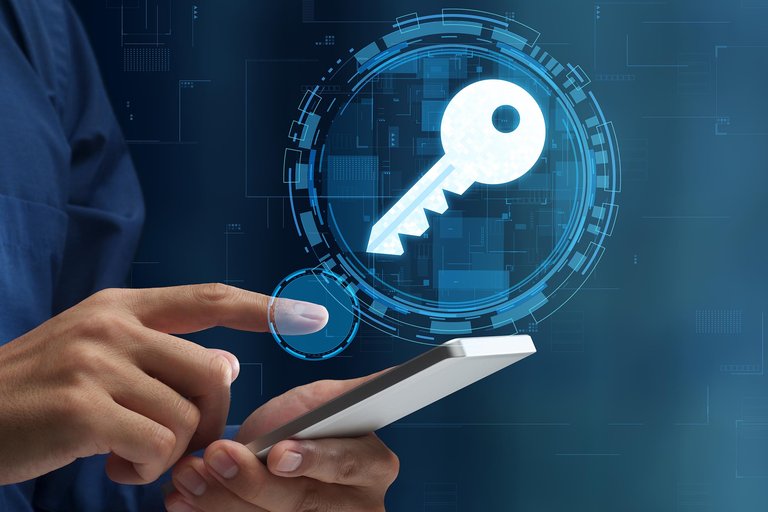
Given all the problems that occur with passwords, Internet agents thought that to authenticate it was better to use something that the user has instead of using something based on the user’s knowledge, specifically a key or key that will be stored on our device. And this key, by analogy with the word password or password, has been called passkey. The technical term of the technology behind it is the WebAuthn protocol, the standard protocol of the W3C organization that has governed the standards and evolution of the web since 2019.
Gateway technology is based on public key or asymmetric cryptography, which we explained in 2013 in this section. In this type of cryptography, the message to be sent is encrypted by a key and then, once the destination is reached, it is decrypted by another key; one of the keys is kept private and the other is made public; and the private key cannot be obtained or derived from the public key. This system allows the sending of private messages and guarantees their signature or authentication.
“It’s about using something the user has instead of something based on the user’s knowledge.”
This type of cryptography is used in today’s interconnected digital world to send confidential messages, keep browsing private through HTTPS, ensure the authenticity of websites, digitally sign documents, etc. And the same system is also used in online services that support passkey authentication. When we sign up, the service provider generates a private and public key pair for us. The private key is sent to us and stored on our device, which is actually the passerby, while the public key is stored by it. When we want to re-enter this service, the provider sends us an encryption message that is different every time and expires. Our browser returns this message encrypted with the private key to the service provider, who decrypts it with his public key and, if the original message appears, our identity is verified.
As has been seen in this exhibition, to be able to take advantage of authentication through pasaga, it is necessary, on the one hand, that Internet service providers offer this possibility and, on the other hand, that our browser has implemented the protocol (as is the case of the latest versions of all modern browsers); and, on the other hand, that our device, that is, the phone or computer, has installed a storage or manager of pasagas that securely stores them (almost all of them have current operating systems). The system to store and protect the pasagües on our device will be the usual one in this device, for example, access by fingerprint or face on the phone. In this way, the authentication will be done by two factors (with something we have, that is, with the device that has the pasagena, and with something we are, that is, with the biometric characteristic), but without problems or inconveniences of passwords.
Many advantages, but also some problems
Passwords have many advantages over passwords. On the one hand, because it creates systems, they will always be long and complex, and there is no possibility of anyone inventing them because they are too easy. On the other hand, each pasaga serves only one website, so even if you access one of them, it will not give the thief access to many of our services. In addition, it makes phishing almost impossible, since the fake website is not given a password or password, only an encrypted message that is useless on the real website. Finally, it greatly simplifies the user experience: you do not have to invent and remember or save the password when creating the account, since the system generates the password and stores it on your device without us having to do anything; and each time you connect to the service, it is enough to allow the system to use the password through the biometric feature.
“Because the system creates them, they are always long and complex.”
But they also have drawbacks. The main thing is that we can lose them forever, like the keys: if the device that has the passerby is broken, there is no way to recover it; and if the device is stolen from us, the thief acquires the passerby and we lose the way to access it. The way to avoid this is to store passageways on more than one device; for this, systems that store passageways can automate synchronization between devices, but it is our responsibility to install the passageway store on two or more devices, and many people will not. And another disadvantage is that not all gateway storage software and all devices have biometric verification hardware, in these cases, the gateways are usually password protected, and then we are back. And, in addition, in case of loss or theft, to create new ones they must have some classic alternative way of checking that we are ourselves (ID card, personal question...), from which security problems can also arise. Finally, to create vados or access a service through them, we must always use one of our devices and not create or use them on public computers (libraries, schools...) or on other people’s devices.
So, in the end, passersby also demand some good practices, and yet for some things it is essential to keep classic modes less safe. In fact, if the pasagos were much more secure and hassle-free, all online services would already offer only this form of authentication and continue to offer a password option.
Igor Leturia Azkarate
Informatikaria eta ikertzailea. Elhuyar aldizkarian "Mundu digitala" atalaz arduratzen da 2009tik.